Dataframe Subset
The Subset utility allows you to easily generate subsets of pandas dataframes.

You must import a dfc dataframe to proceed with the subset utility.

Dataframe Subsets
A Subset is a collection of rows and columns in a dataframe selected via booean indexing.
A Subset is generated via defining a set of columns and rows selected from an input df.
A Subset can be continously generated by using the output df of the current subset as the input df fro the next subset.
After each subset is generated you can inspect the resultant dataframe to help determine what to define for the next subset.
Inspect Subset Dataframe
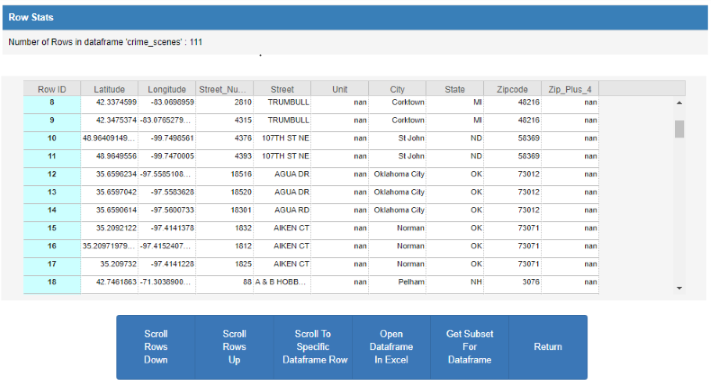
View Subset Dataframe In Excel
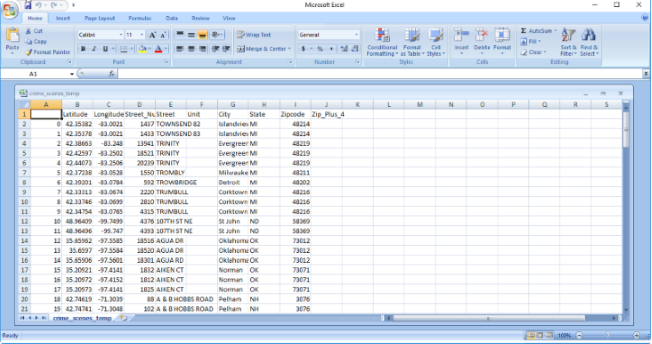
Defining, creating or runnning a dataframe subset consists of a simple 2 part process to generate a subset df.
The parts are deined below:
- Subset Define Columns
-
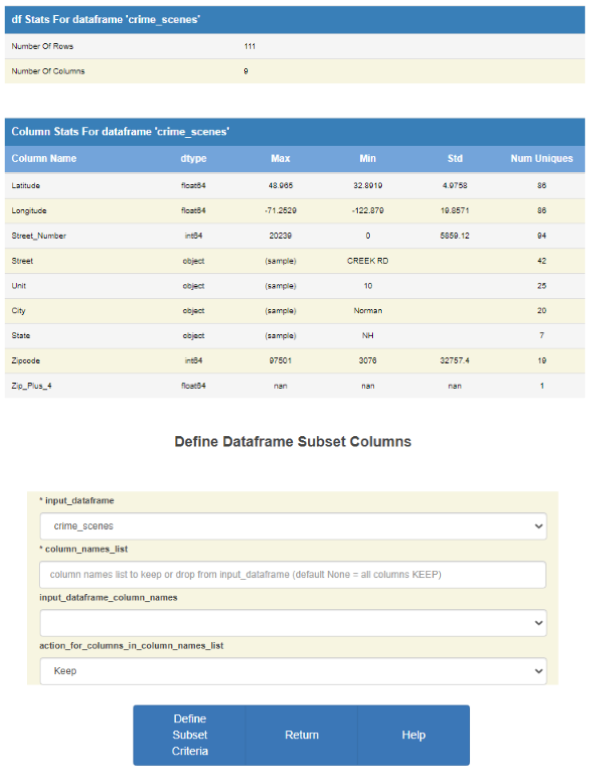
Select the columns of the input dataframe to define the columns of the resultant subset df.
- Subset Define Rows
-
Define the subset df criteria to define the rows of the resultant subset df.
Create Dataframe Subset
Define Subset Columns
| Parameters: |
|
|---|
| Commands: |
|
|---|
Columns Keep Drop
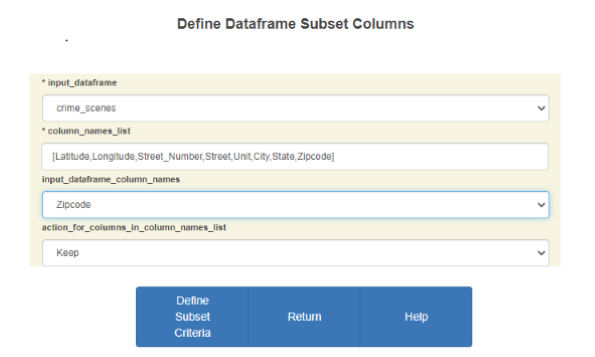
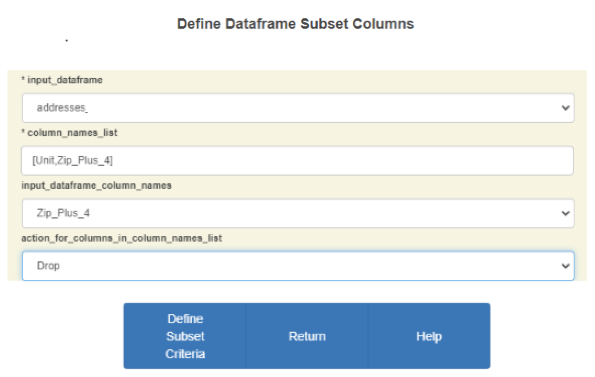
The above input examples for Keep and Drop will result in the same column list in the subset df.
Define Subset Rows
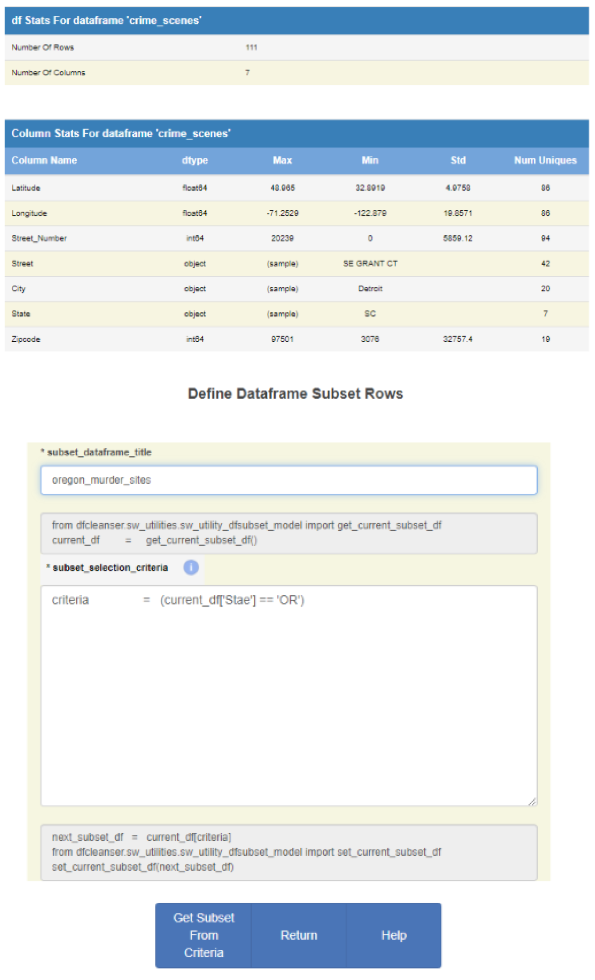
Once you select the columns of the subset df you need to define the subset title and the selection criteria.
The disabled sections of the input form represent code segmants that are automatically run by the dfcleanser. These segments provide the mechanism to define the dfc dataframes and make them visible to the dfcleanser. As you develop your criteria use the 'current_df' object to specify the input dfc dataframe.
| Parameters: |
|
|---|
| Commands: |
|
|---|
Run Criteria Exceptions
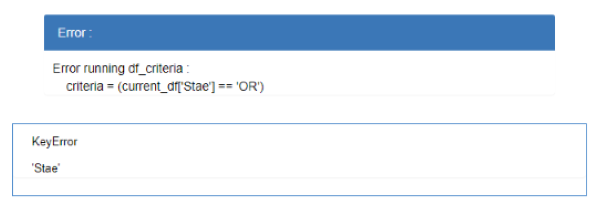
If an exception occurs while executing the user defined criteria the exception is trapped, reported and the user can reenter the criteria.
Run Criteria Empty Resultant df
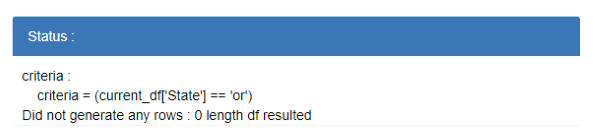
If executing the user defined criteria results in a df with 0 rows the resultant df is ignored and the user can reenter the criteria.
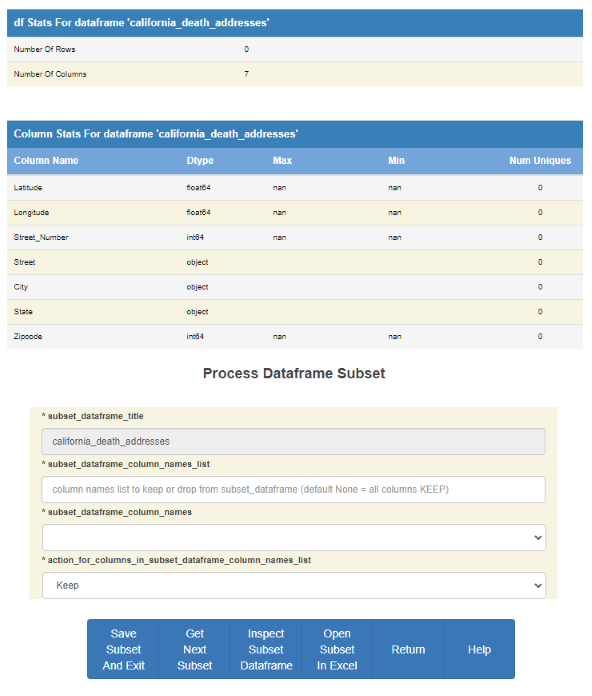
Process Dataframe Subset
Once you define subset criteria and generate the subset df you need to define wether to save the current subset, process another iteration of the subset You can inspect the subset df before deciding wether to continue generating new subsets or not.
| Parameters: |
|
|---|
| Commands: |
|
|---|
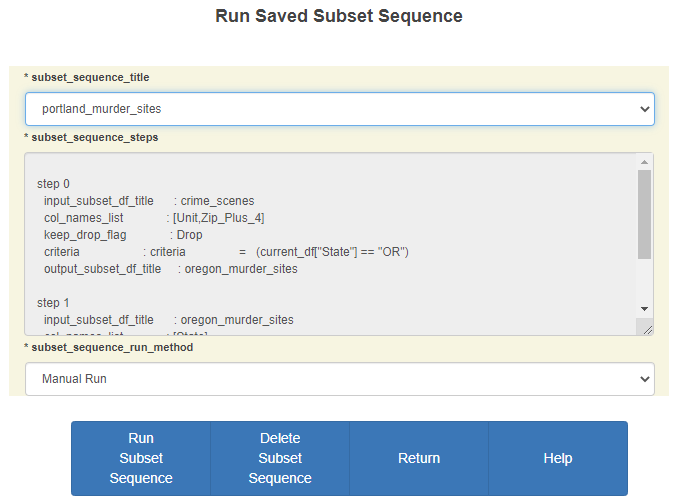
Run Saved Subset
You can rerun a saved subset aequence in order to generate a new copy of the subset. Just click on the Run Saved Subset Sequence button on the main subset console.
Select Subset Sequence To Run
| Parameters: |
|
|---|
| Commands: |
|
|---|
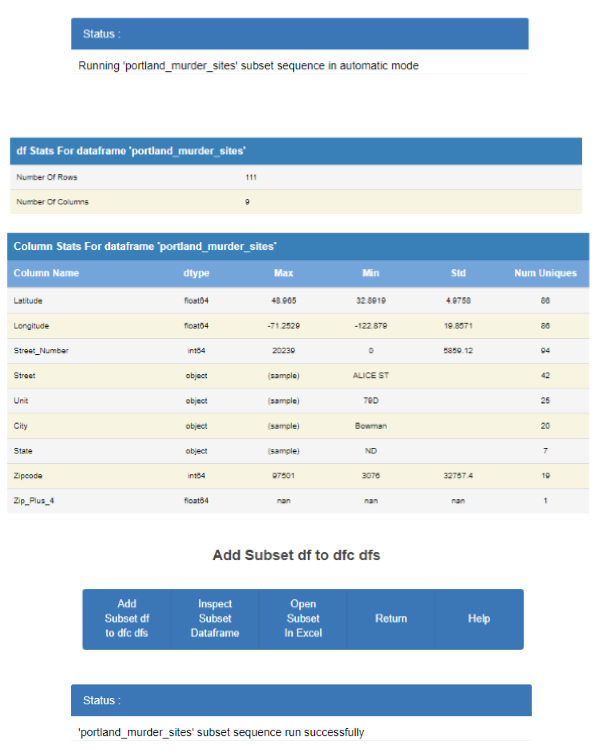
Auto Run Method
The Auto Run method will load and run the selected subset sequence without any user intervantion and produce the correct susbset df that can then be used within dfc if desired.
Once the auto run is complete you can review the resultant df and determine to include it as a dfc df.
| Commands: |
|
|---|
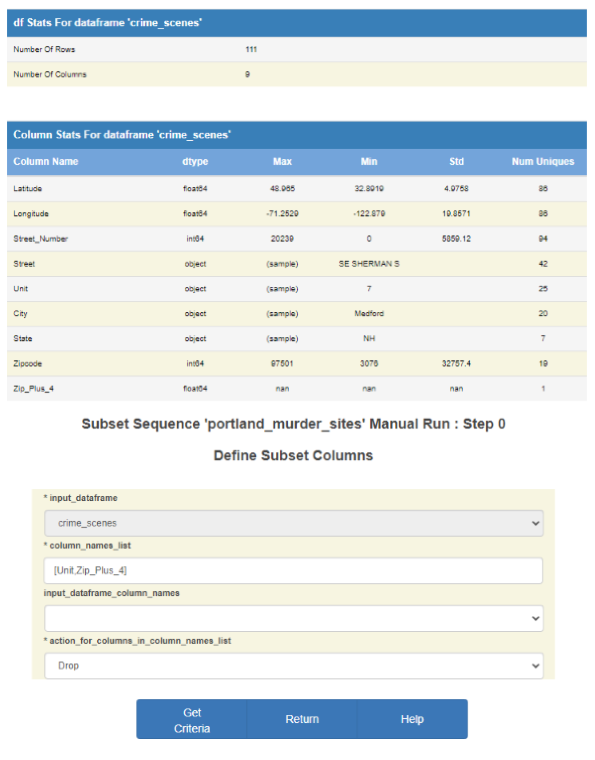
Manual Run Method
The Manual Run method will load and run the selected subset sequence one step at a time and allow the user to modify steps as it runs.
Manual Run Step Define Columns
The Manual Run method displays the Define Columns screen and the user can run it with the stored values or change them as desired.
| Parameters: |
|
|---|
| Commands: |
|
|---|
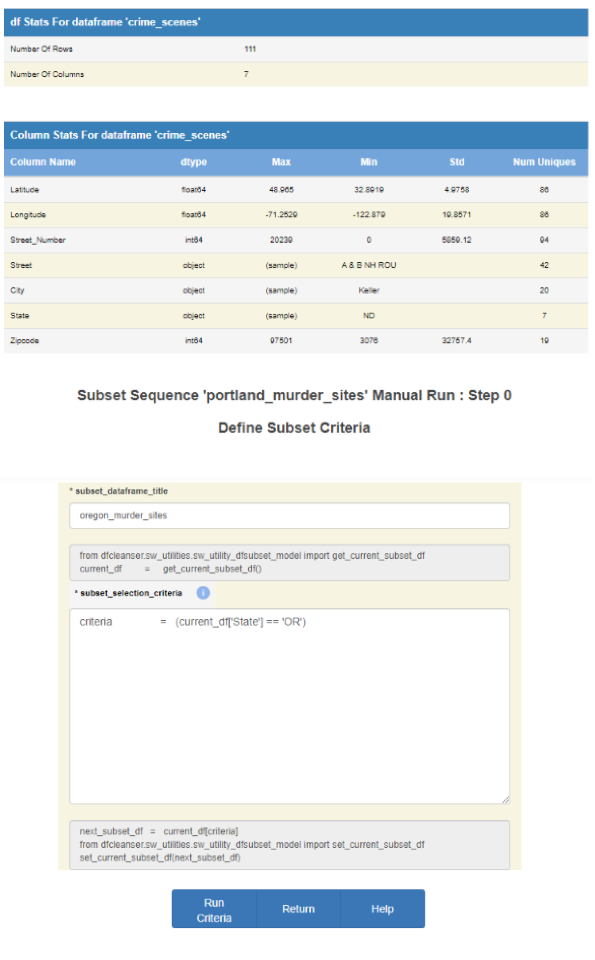
Manual Run Step Define Rows
The Manual Run method displays the Define Criteria screen and the user can run it with the stored values or change them as desired.
| Parameters: |
|
|---|
| Commands: |
|
|---|
Manual Run Change Step
The Manual Run method allows you to change step parameters as the sequence is run.
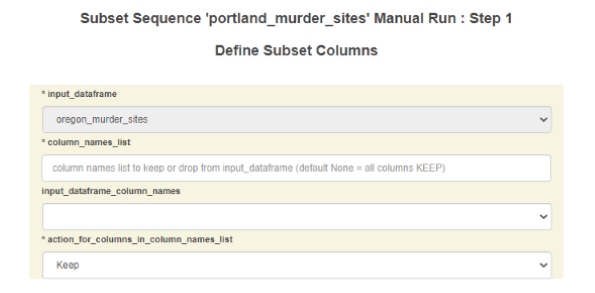
Manual Run Original Stored Step Parms
To run the step with the original stored parms do not change anything in the form.
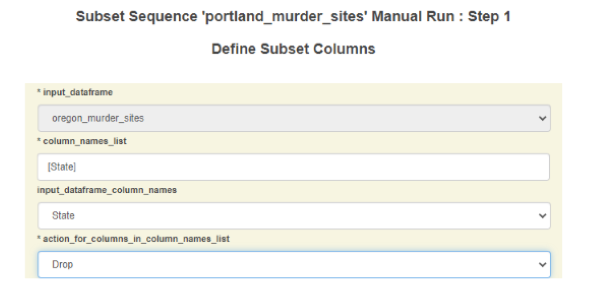
Manual Run Modified Step Parms
Modifying the step parms will result in a different df generated than in the one generated by the stored parms.
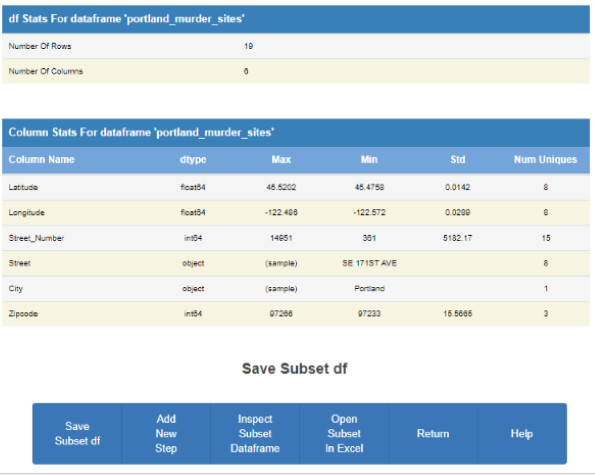
Manual Run Sequence Complete
Once all steps in the sequence are complete you can then save the resultant df and sequence.
| Commands: |
|
|---|
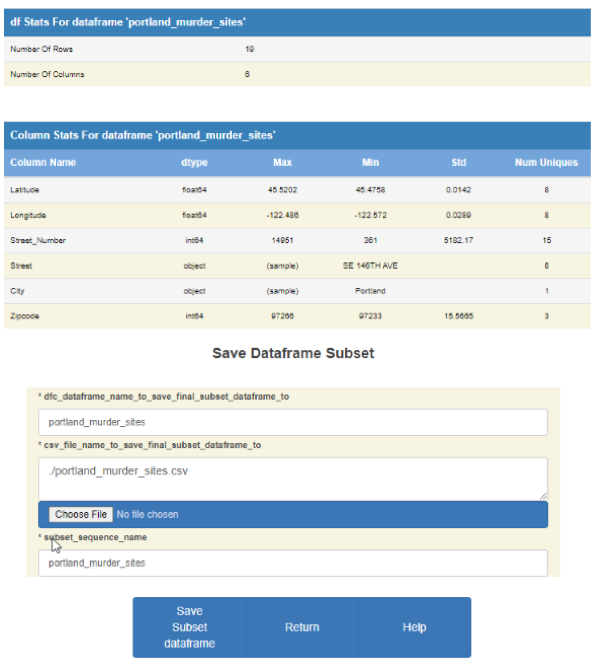
Manual Run Save Subset Sequence df
When you decide to save the resultant df you can select what forms to save.
| Parameters: |
|
|---|
| Commands: |
|
|---|
Manual Run Add New Step
After running the subset sequence manually you can add a new step to the sequence.
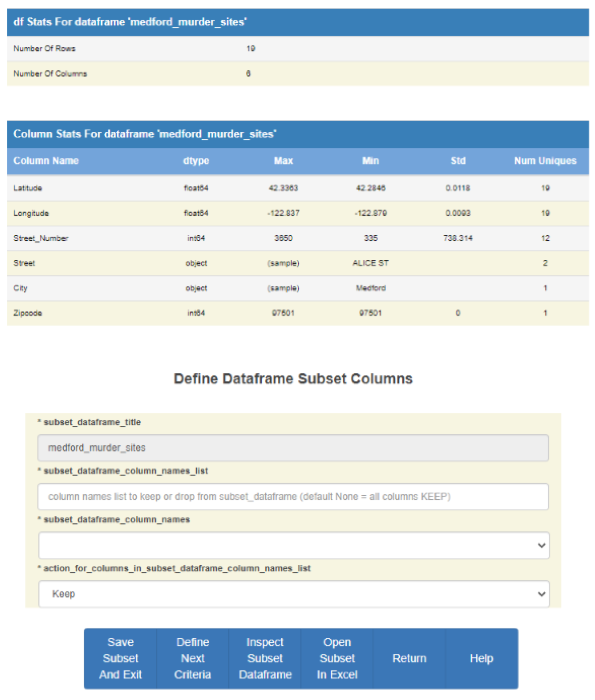
You can now add a new step to the sequence resulting in a new resultamt df.
The input df for the new step is the resultant df from the sequence.
You can continue to new steps like creating a subset sequence.